An event is one of the few things a business spends months planning and then watches disappear in a single day. Good event videography is how you keep it — a highlight reel that sells next year's tickets, sponsor footage that proves the value of their investment, and speaker content you can use for months. Here's how to plan it properly.
At ThinkVP we've filmed conferences, awards nights, product launches, gala dinners and professional-development retreats across Brisbane and South East Queensland since 2016. This guide covers what event videography involves and how to get the most out of it.
What is event videography?
Event videography is the filming and editing of a live event into finished video — most commonly a highlight reel that captures the energy and key moments, but it can also include full session recordings, attendee and speaker interviews, sponsor features, and short social clips. The goal isn't to film everything; it's to capture the moments that matter and shape them into something people will watch afterwards.
It's a distinct skill from studio or corporate shooting. Events don't do second takes — the keynote happens once, the award is announced once, the room reacts once. Event work is about anticipating those moments and being in the right place, with the right settings, before they happen.
Types of event video we produce
- Highlight reels. A short, energetic 1–3 minute edit that captures the feel of the day — the headline deliverable for most events, and the most shareable.
- Conference & session recordings. Full or partial captures of presentations, panels and keynotes — useful for on-demand content, training, or members who couldn't attend.
- Interviews & vox pops. Quick on-the-day interviews with attendees, speakers or sponsors that add credibility and human voices to your edit.
- Sponsor & awards features. Footage that gives sponsors visible value and turns award moments into shareable, on-brand clips.
- Social cut-downs. Vertical and square versions of the highlights, sometimes delivered same-day so you can post while the event is still live.
See the difference
Three event pieces — a conference highlight, an awards night, and a product launch:
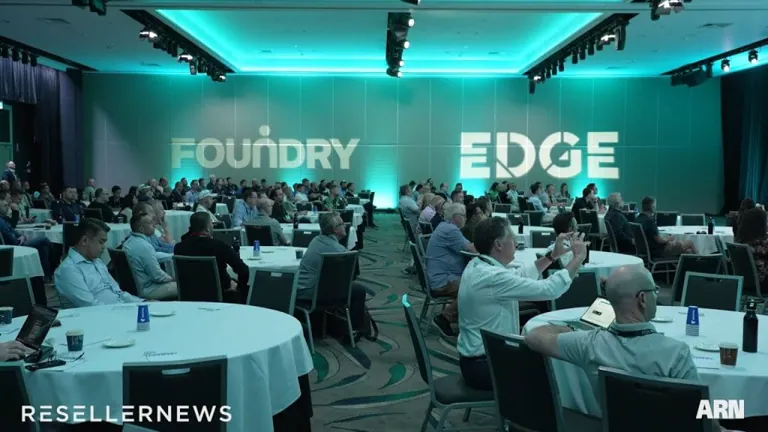
A tech conference highlight video (2023)
A fast-paced highlight reel capturing the scale, sessions and energy of a multi-stream tech conference.
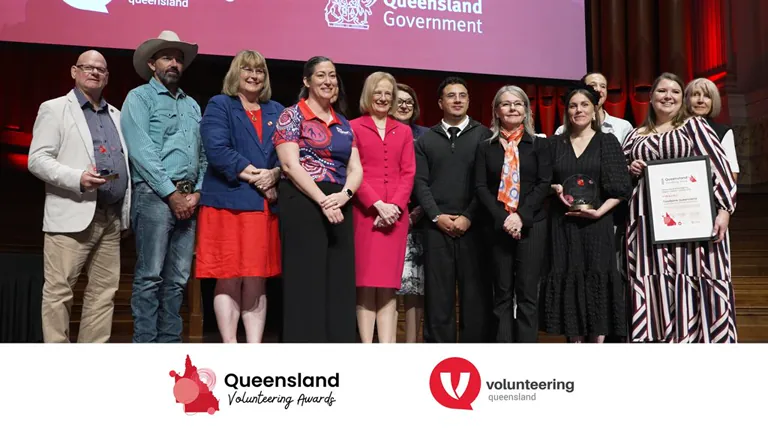
An awards ceremony highlight video for a NFP (2026)
An emotional awards-night highlight reel for a not-for-profit — key moments and winner vox pops.
A launch event for a new product (2025)
A product launch captured to build momentum — the reveal, the reactions and the key talking points.
Single vs multi-camera: which do you need?
It depends on what you're capturing and how it'll be used:
- Single camera suits smaller events, a highlight-reel-only brief, or budgets that need to stay lean. One operator moves around the room capturing a mix of wide, detail and reaction shots to cut together later.
- Multi-camera is worth it when you're recording presentations in full (so you can cut between presenter, slides and audience without dead air), covering a stage where you can't afford to miss a moment, or producing both full recordings and a highlight reel from the same event.
For conferences with a packed program, multi-camera plus a clean audio feed from the AV desk is usually the right call. For a networking event or a launch where you mainly want a highlight reel, a single skilled operator often delivers everything you need.
How to plan event video so nothing gets missed
The difference between a great event video and a frustrating one is almost always in the planning. A few things that make the biggest difference:
- Share your run sheet early. Knowing exactly when the keynote, the award and the big reveal happen lets us position for them instead of reacting late.
- Identify the must-have moments. Tell us the three or four things that absolutely cannot be missed — that becomes our priority list.
- Sort audio in advance. The single most common thing that ruins event footage is bad sound. A feed from the AV desk or our own lapel/recorder setup for interviews makes a night-and-day difference.
- Plan interviews into the schedule. If you want attendee or speaker grabs, build a few minutes for them into the day rather than chasing people at the end.
- Decide deliverables up front. A 90-second highlight reel, full session recordings and ten social clips are very different briefs — and pricing them up front avoids surprises.
- Brief us on sponsors and branding. If sponsors need visible coverage or there are logos to feature (or avoid), tell us before the day.
What does event videography cost?
Event videography is usually priced from a day rate for filming plus editing, so the main drivers are how many hours and cameras you need and how many finished deliverables come out the other side. A single-camera half-day with one highlight reel sits at the lower end; multi-day, multi-camera coverage with full recordings, interviews and a suite of social clips is a larger project. We break down how this is costed in our guide to video pricing in Brisbane, and you can see indicative figures on our gear & rates page.
Get the most out of one day
Because so much of an event's value is fleeting, it pays to capture more than just a highlight reel while the crew is already there. Interviews, sponsor features and b-roll gathered on the day can be edited into content you release for weeks afterwards — and pairing event video with customer testimonials filmed at the same event is an efficient way to come away with a whole content library from a single booking.
Filming an event in Brisbane or South East Queensland?
Send us your event details and run sheet and we'll scope coverage that fits your day and your budget. Have a look at our recent event work, then get in touch — and if your date is soon, call us on 0404 767 123.